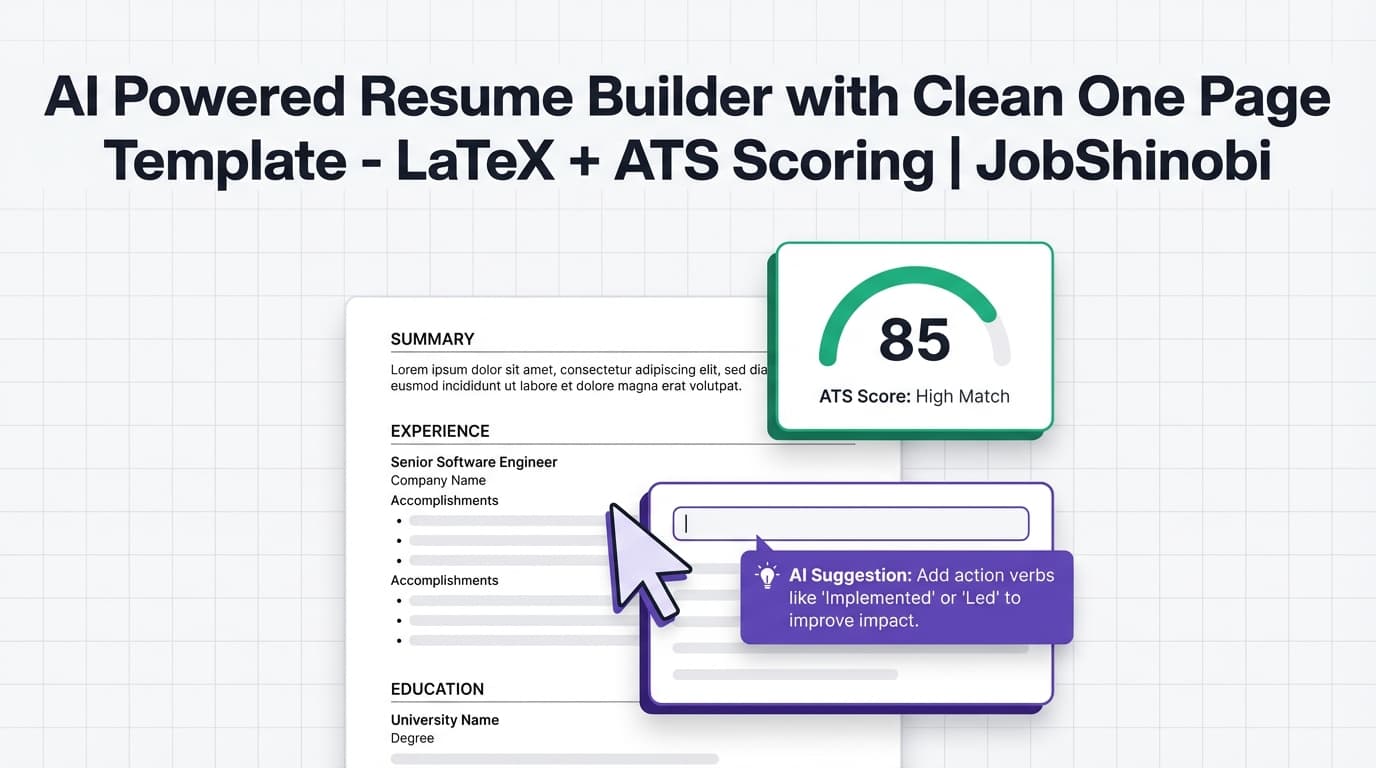
If you’re searching for an ai powered resume builder with clean one page template, you’re not looking for flashy design—you’re looking for a resume that’s easy to scan, ATS-friendly, and tight enough to stay clean.
JobShinobi is an AI-powered resume builder built around a LaTeX-first workflow:
- Start from a LaTeX resume template
- Edit in a dedicated LaTeX resume editor (manual or AI-assisted)
- Generate a PDF preview via LaTeX compilation
- Run resume scoring + ATS/keyword feedback
- Optionally, paste a job description (or URL) for resume-to-job match analysis
- Download your final PDF (and your .tex source)
This page is written specifically for people who want a clean, single-page-style resume and need AI help to tighten bullets, reduce fluff, and match keywords—without losing formatting control.
CTA: Ready to build a clean LaTeX resume? → Sign in to JobShinobi
Why Choose JobShinobi for a Clean One-Page Resume?
A “clean one-page resume” isn’t a template problem—it’s a workflow problem.
Most builders help you start a resume. JobShinobi helps you iterate:
- Tighten content until it reads clean
- Keep formatting consistent while you revise
- Validate ATS/keyword fit without guessing
- Create a tailored version per role without losing your baseline
LaTeX-first formatting for clean structure
JobShinobi resumes are stored as LaTeX source (latex_source). That means structure is explicit and consistent—ideal for clean, minimalist resumes.
Even the default fallback template uses a simple, professional LaTeX structure with readable margins and standard sections (Experience, Education, Skills). For example, the default template includes:
\documentclass[11pt,letterpaper]{article}\usepackage[margin=0.75in]{geometry}- Simple section headings and bullet lists
That’s the kind of foundation you want when your goal is “clean one page.”
AI editing that works with your actual resume (not a generic generator)
JobShinobi includes an AI Resume Agent with streaming responses. It’s designed to help you improve your resume by editing sections and updating LaTeX—so you can ask for changes like:
- “Rewrite these bullets to be tighter and more metric-driven.”
- “Remove repetition and keep only the strongest outcomes.”
- “Tailor my experience to a Data Analyst role without adding fluff.”
- “Shorten my summary to 2 lines.”
Live PDF preview (LaTeX compilation) so “clean” is visible
Clean resumes are visual. JobShinobi compiles your LaTeX and shows a PDF preview so you can catch:
- awkward spacing
- lines wrapping badly
- sections that push you onto page 2
- inconsistent formatting
This is critical for one-page-style resumes, because a single extra line can break the layout.
Resume scoring + ATS/keyword feedback (with caching)
JobShinobi includes a resume analysis endpoint that produces structured scoring and feedback, including:
- overall score
- content score
- keyword score
- formatting score
- completeness score
- ATS score
- strengths / weaknesses / recommendations
- keywords found / missing keywords
- optional “enhanced” analysis mode
If your resume hasn’t changed since the last analysis, JobShinobi can return cached analysis results instead of re-running the whole scan.
What “Clean One Page Template” Means (And What It Doesn’t)
When people search for a “clean one page template,” they usually mean:
- simple typography
- clear section headings
- consistent spacing
- bullet-based impact statements
- no visual clutter
- easy scanning for humans and systems
What it does not mean:
- guaranteeing your resume will always be one page (your experience level and content decide that)
- a magic “fit to one page” button (JobShinobi focuses on editing + preview + scoring so you can control the result)
JobShinobi is built to help you create the clean single-page look through:
- a minimalist LaTeX template foundation
- AI-assisted tightening of content
- PDF preview iteration
- keyword/ATS feedback so you cut fluff (not relevance)
How JobShinobi’s Clean One-Page Resume Workflow Works
Step 1: Start from a template in the Resume Builder
Open the Resume Builder area in your dashboard and choose a template to start.
- Templates are fetched from a templates library (stored in the database).
- You can create a resume from a template and begin editing immediately.
- If a template isn’t available, JobShinobi provides a default LaTeX resume template as a fallback.
Clean one-page advantage: You start from a structured document designed for readability—not a design canvas full of elements.
Step 2: Edit your resume in LaTeX (manual mode or AI mode)
In the editor, you can:
- edit LaTeX directly (precise control)
- use the AI chat editor to update sections and refine wording (streaming responses)
Because your resume is LaTeX, edits are explicit and stable: headings, bullets, spacing, and structure won’t “drift” the way they sometimes do in copy/paste workflows.
Step 3: Compile and preview the PDF
JobShinobi compiles your LaTeX and renders a PDF preview.
- You’ll see exactly how clean your layout looks.
- You can quickly validate whether you’re staying within one page.
- You can fix errors if compilation fails (syntax issues, etc.).
Clean one-page advantage: You don’t have to guess if you’re at “one page”—you can see it.
Step 4: Run resume scoring + ATS/keyword analysis
Analyze your resume to get:
- score breakdown (overall/content/keyword/formatting/completeness/ATS)
- strengths and improvement suggestions
- keyword findings (present vs missing)
- optional job-specific analysis (when a job description is provided)
If the resume is unchanged since your last scan, JobShinobi can return cached results.
Step 5 (Optional): Add a job description (or job URL) to tailor your resume
For tailoring, JobShinobi supports a job workflow:
- paste a job URL or job description text
- JobShinobi extracts structured job details
- run resume-to-job matching to get:
- match score
- missing keywords vs present keywords
- tailored suggestions (what to add/remove/reorder)
This is the best way to keep your one-page resume relevant while staying minimal.
Step 6: Download your clean resume as PDF (and export .tex)
When you’re satisfied:
- download your resume as PDF
- export the .tex source file
This is ideal if you want a clean, professional PDF while also keeping the underlying source for future edits.
CTA: Build a clean resume and preview it instantly → Start in JobShinobi
Key Features for an AI Powered Resume Builder with a Clean One Page Template Use Case
| Feature | What It Does | Why It Matters for a Clean One-Page Resume |
|---|---|---|
| LaTeX Template Library | Start from structured LaTeX templates and create new resumes | Clean layouts start with consistent structure |
LaTeX Resume Storage (latex_source) |
Saves your resume as editable LaTeX | You’re not locked into a visual editor |
| AI Resume Agent (Streaming) | AI chat that can guide edits and update your LaTeX resume | Tighten bullets and remove fluff faster |
| LaTeX Compilation + PDF Preview | Compile LaTeX and preview the result as a PDF | “Clean one page” becomes visible, not theoretical |
| Resume Scoring + ATS/Keyword Feedback | Score breakdown + strengths/improvements + keyword gaps | Cut the right content while staying job-relevant |
| Enhanced Analysis Mode | A deeper analysis mode you can enable | More structured insight for targeted improvements |
| Job Description Extraction | Extract job details from a URL or pasted text | Faster tailoring without manual keyword mining |
| Resume-to-Job Match Analysis | Match score + missing/present keywords + suggestions | Helps you tailor without bloating the page |
| Resume Version History | Saves versions from manual and AI edits | Safely iterate on clean baseline vs tailored versions |
| Job Tracker + Excel Export | Track applications and export .xlsx |
Keeps your job search organized alongside resume versions |
How to Actually Keep Your Resume Clean and One-Page (Using JobShinobi)
If you’ve tried to “make it one page” before, you’ve probably hit the same trap: you cut the wrong things, keep the wrong things, and end up with a resume that’s short but weak.
Use this playbook instead.
1) Define your one-page goal: “high signal density”
A clean one-page resume is really a high-signal resume:
- fewer bullets, stronger outcomes
- fewer skills, more job-relevant skills
- fewer words, clearer impact
In JobShinobi, use AI to reduce text while increasing clarity.
Example prompts:
- “Rewrite these bullets to be shorter and include metrics where possible.”
- “Remove responsibilities. Keep only accomplishments and outcomes.”
- “Combine duplicate bullets across roles.”
2) Use the PDF preview as your page-limit truth
Don’t guess based on word count. Compile and preview.
When your resume spills onto page 2, make targeted cuts:
- remove older roles
- reduce bullets per role (often 2–4 is enough)
- collapse repeated skills into categories
- shorten summary to 1–2 lines (or remove it entirely if not needed)
3) Run scoring to protect relevance while you cut
Cutting content blindly can lower your keyword fit.
JobShinobi’s analysis helps you cut fluff while protecting:
- key skills
- role-specific terminology
- important tools/technologies
- measurable outcomes
If the analysis shows missing keywords, you can add them selectively instead of stuffing.
4) Tailor with job matching (so your one page is the right one page)
If you’re applying to multiple roles, you don’t want one “generic one-page resume.” You want:
- a clean baseline resume
- tailored versions per role family (e.g., Frontend Engineer vs Full-stack vs Data Analyst)
Use the job description extraction + match analysis to identify:
- which keywords matter for this role
- which sections need emphasis
- what can be removed because it’s irrelevant
5) Use version history to keep your clean baseline intact
One-page resumes take iteration. Version history lets you:
- revert if an edit makes the resume worse
- keep separate tailored versions
- compare “clean general” vs “clean tailored”
Why JobShinobi’s LaTeX Approach Fits “Clean One Page” Better Than Most Builders
A lot of resume builders treat formatting as a theme. For clean one-page resumes, formatting is a discipline.
LaTeX tends to produce consistent, predictable output
When your resume format is code-driven:
- spacing doesn’t change unexpectedly
- headings stay consistent
- bullet indentation remains uniform
- PDF output is stable
This is why so many people associate “clean one-page resume” with LaTeX templates in the first place: the result is controlled and repeatable.
You can iterate without layout breaking
In some drag-and-drop builders, small edits cause:
- spacing shifts
- content boxes resizing
- accidental page breaks
JobShinobi’s compile-and-preview loop helps you keep layout stable while improving content.
JobShinobi vs. Other “AI Resume Builder” Options (Clean One-Page Focus)
JobShinobi vs. “AI text generator + Word/Docs formatting”
Common approach: generate bullets with an AI tool, then paste into a document.
Typical problems:
- formatting becomes manual and inconsistent
- you can’t easily track versions
- content gets longer (AI tends to add words)
- you don’t have structured ATS/keyword feedback tied to your resume
JobShinobi advantage:
- AI editing + LaTeX structure live together
- PDF preview shows clean layout instantly
- scoring + keyword feedback guides what to cut and what to keep
- version history protects your baseline resume
JobShinobi vs. template galleries that focus on “pretty”
Many template-heavy builders optimize for visuals first. For ATS-friendly one-page resumes, your priorities are different:
- clarity
- structure
- keyword fit
- easy scanning
JobShinobi advantage:
- LaTeX templates emphasize structure and readability
- analysis focuses on content, keywords, formatting, completeness, and ATS signals
- tailoring tools help you stay relevant without bloating the page
JobShinobi vs. “one-page resume guides” (static advice)
One-page resume advice articles can tell you what to do, but they can’t:
- rewrite your bullets
- compile and preview your resume
- score and analyze your resume
- show missing keywords for a specific job
JobShinobi advantage:
- you get a workflow: template → edit → preview → analyze → tailor → export
Bonus: Clean Resume + Clean Job Search (Built-In Job Tracker)
A clean one-page resume is only half the system. JobShinobi also includes tools to keep your job search organized:
- Job application tracker inside your dashboard
- Realtime updates to your tracker (when applications change)
- Export to Excel (.xlsx) for reporting, sharing, or archiving
- Analytics dashboard (response rate, offer rate, interview conversion, monthly trends)
If you want to keep resume versions aligned with job applications, having both in one platform reduces chaos.
Explore:
- Resume Builder: /dashboard/resume
- Job Tracker: /dashboard/job-tracker
- Analytics: /dashboard/analytics
Pricing
JobShinobi offers paid subscriptions via Stripe:
- Monthly: $20.00
- Yearly: $199.99
To get started, create an account and open the dashboard.
CTA: Start building your clean one-page resume → Sign in
Frequently Asked Questions
Does JobShinobi include a clean one-page resume template?
JobShinobi includes LaTeX resume templates and a clean fallback LaTeX template structure. “One page” depends on your content, but the workflow (LaTeX structure + PDF preview + AI tightening + analysis) is designed to help you achieve a clean, minimal single-page result when appropriate.
Can JobShinobi guarantee my resume will be exactly one page?
No. JobShinobi doesn’t force a one-page limit, because resume length depends on your experience and what you include. What it does give you is the practical loop you need to get there: edit → compile → preview → refine, plus analysis that helps you remove fluff without losing relevance.
Can I preview my resume as a PDF while I edit?
Yes. JobShinobi compiles your LaTeX and displays a PDF preview so you can validate formatting, spacing, and length as you iterate.
What does the AI actually do in JobShinobi?
JobShinobi includes an AI resume editor (streaming chat) designed to help you revise your resume content and structure. You can ask it to rewrite bullets, improve clarity, tailor content to a role, or help identify weak sections—while you maintain control through the LaTeX editor and PDF preview.
Does JobShinobi provide ATS and keyword feedback?
Yes. JobShinobi’s resume analysis provides scoring (including an ATS score) and keyword feedback such as keywords found and missing keywords, along with strengths and improvements.
Can I tailor my resume to a specific job description?
Yes. You can paste a job description (or a job URL) to extract job details and run resume-to-job matching. This produces a match score, missing/present keywords, and suggestions to tailor your resume.
Can I download my resume?
Yes. You can download your resume as a PDF and also download the .tex file.
Does JobShinobi track versions of my resume?
Yes. JobShinobi supports resume version history so you can iterate, compare, and revert changes across manual saves and AI-assisted edits.
Is there a job application tracker included?
Yes. JobShinobi includes a job tracker dashboard with realtime updates and Excel export, plus an analytics dashboard for job-search performance.
Get Started with JobShinobi Today
If your goal is an ai powered resume builder with clean one page template output, the fastest path is:
- Sign in → /login
- Open Resume Builder → /dashboard/resume
- Choose a template and start editing in the LaTeX editor
- Use AI chat to tighten bullets and remove fluff
- Compile + preview your PDF until the layout is clean
- Run analysis (and optional job-match) to protect keyword fit
- Download your final PDF (and keep the .tex source for future tailoring)
A clean one-page resume is built in iterations. JobShinobi gives you the workflow to do it quickly—without sacrificing structure.


