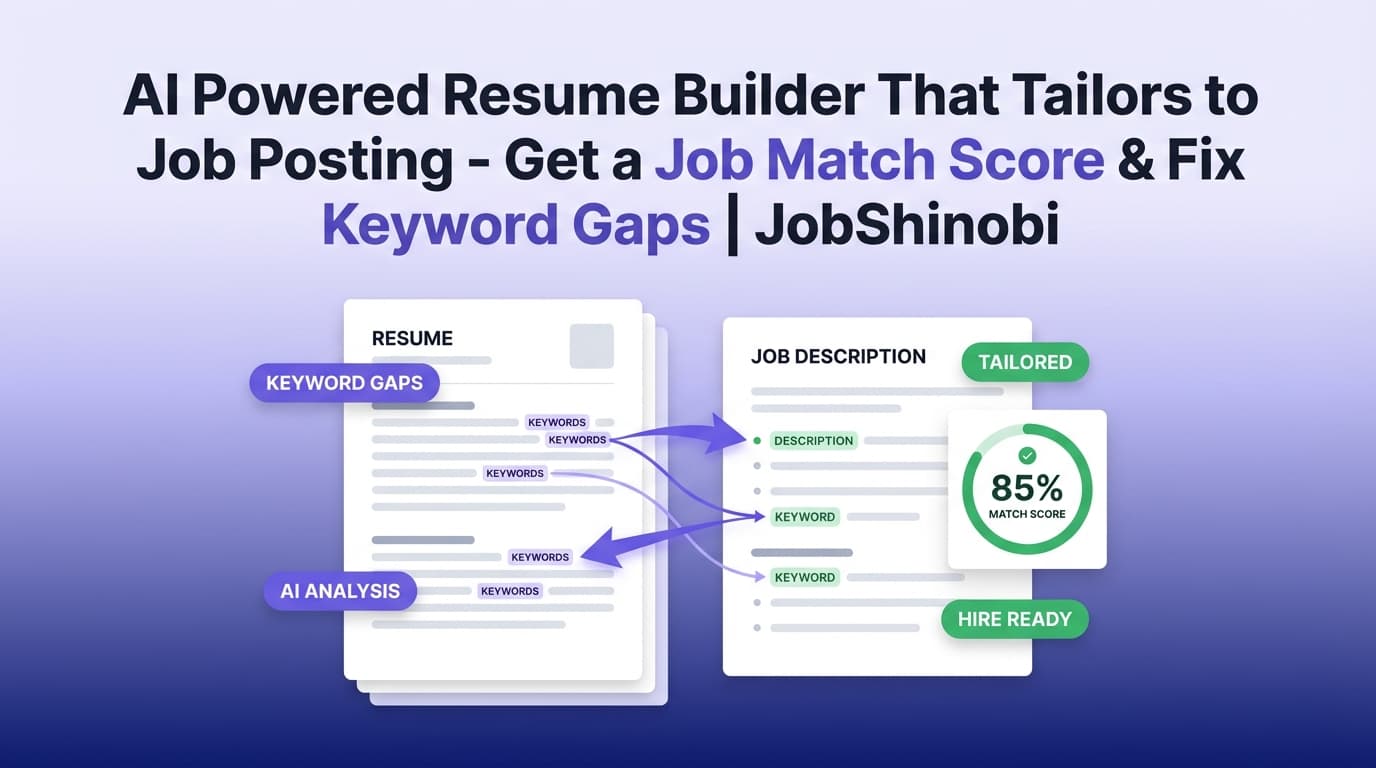
JobShinobi is an AI powered resume builder that tailors to job posting—without forcing you into a one-size-fits-all document. Build and edit a LaTeX-based resume (with PDF preview), then tailor it to any job posting by pasting a job URL or job description to get a Job Match Score, matching vs. missing keywords, and recommendations you can apply in your editor.
Why Choose JobShinobi for Tailoring Your Resume to a Job Posting?
Most “tailor my resume” tools stop at generic tips or a list of keywords. JobShinobi is built for the full workflow:
- Create a clean, structured resume in LaTeX (templates + editor + PDF preview).
- Extract job details from a job posting URL or pasted text.
- Run resume-to-job matching to get a score and keyword gaps.
- Apply suggestions in your editor and keep versions as you iterate.
You’re not just writing “a better resume.” You’re building a repeatable system for tailoring—job by job—while keeping your resume format stable and readable.
Built around real features (not fluff)
JobShinobi includes:
- Job Description Extraction (URL or Text) → turns a posting into structured job details (company/position/description/requirements/keywords).
- Resume-to-Job Matching → match score + present/missing keywords + recommendations saved to your account.
- AI Resume Editor (Streaming) → chat-based editing for your LaTeX resume with compilation checks.
- Resume Analysis (AI) → ATS-focused scoring, keyword analysis, strengths/weaknesses, and optional enhanced analysis.
- Job Tracker + Email Forwarding Automation (Pro) → forward job emails to log/update applications automatically, with realtime updates and Excel export.
How JobShinobi’s “Tailor to Job Posting” Flow Works
Step 1: Create (or import from a template) a LaTeX resume
Start with a template from JobShinobi’s resume template library, then open it in the resume editor.
In the editor you can:
- Edit the LaTeX source
- Compile and preview the PDF
- Download PDF and .tex
- Save changes and keep version history as you tailor for different roles
CTA: Create your resume →
Step 2: Add the job posting (URL or pasted text)
When you’re ready to tailor, open the resume analysis area and add a job posting in the format you have:
- URL mode: paste a job posting link (e.g., LinkedIn/Indeed/company site)
- Text mode: paste the full job description including requirements/qualifications
JobShinobi uses AI to extract job details from the input, including a list of keywords and structured fields like company/position (when available from the posting).
Step 3: Get a Job Match Score + keyword gaps
After extracting job details, JobShinobi matches your resume to that job posting and returns:
- Job Match Score (%)
- Matching keywords (terms already present in your resume)
- Missing keywords (terms found in the job posting keywords list that are not currently in your resume text)
- Recommendations to improve alignment
This makes tailoring concrete: you see what the job posting is “asking for,” what you already have, and what needs attention.
Step 4: Apply suggestions in your editor (and keep versions)
JobShinobi’s workflow is designed to help you actually act on the analysis—not just read it.
After you review recommendations, you can jump back to the editor and update your resume. Because JobShinobi maintains resume versions, you can keep a “base” resume and iterate safely while tailoring.
Key Features for an AI Powered Resume Builder That Tailors to Job Posting
| Feature | What It Does | Why It Matters |
|---|---|---|
| Job Description Extraction (URL or text) | Extracts structured job details from a posting you paste | Saves time and reduces manual “keyword hunting” |
| Resume-to-Job Matching | Produces a match score, missing keywords, present keywords, and recommendations | Gives you a clear, repeatable tailoring checklist |
| LaTeX Resume Builder + Templates | Start from templates and manage saved resumes stored as LaTeX | Keeps formatting consistent and structured while you tailor |
| PDF Preview via LaTeX Compilation | Compiles your resume and shows a PDF preview | Lets you tailor content without accidentally breaking layout |
| AI Resume Editor (Streaming chat) | AI chat can help edit your LaTeX resume, with compilation checks | Faster iteration—especially for bullet rewrites and section edits |
| Resume Analysis (AI scoring) | Scores overall/content/keyword/formatting/completeness/ATS + feedback | Helps you improve beyond a single job posting |
| Version History + Undo/Redo | Saves versions of your resume edits and supports undo/redo workflows | Tailor aggressively without losing your baseline resume |
| Job Tracker + Excel Export | Track applications in a dashboard, export to .xlsx |
Keeps your search organized across many tailored submissions |
| Email Forwarding → Auto Tracking (Pro) | Forward job-related emails; system parses and logs/updates applications | Reduces manual entry and keeps statuses up to date |
What “Tailoring to a Job Posting” Actually Means (and What JobShinobi Helps You Do)
Tailoring isn’t keyword stuffing. It’s aligning your real experience with the language, priorities, and requirements in a posting.
JobShinobi helps you do three practical things:
1) Identify the skills and keywords the posting emphasizes
Instead of manually scanning a posting for repeated terms, you can paste the URL/text and let JobShinobi extract keywords you can review.
2) Check what’s already covered vs. missing
You get matching keywords and missing keywords relative to the job’s extracted keyword list. This helps you decide:
- Which skills you truly have (and should surface more clearly)
- Which terms are synonyms you can incorporate naturally
- Which requirements are genuinely missing (and you shouldn’t pretend to have)
3) Improve bullets and sections without breaking formatting
Because your resume is in LaTeX, you can keep a clean structure while iterating content. JobShinobi supports:
- Manual editing in the LaTeX editor
- AI-assisted editing via chat (streaming)
- PDF compilation preview so you can verify the final output
JobShinobi vs. “Copy/Paste the Job Posting into ChatGPT”
A lot of job seekers start with generic AI chats. That can help—but it often breaks down in real workflows.
Where generic AI chats struggle
- No structured match output: You don’t get a consistent match score + present/missing keyword lists.
- Hard to manage versions: Tailoring for 20 roles becomes a mess of documents and prompts.
- Formatting drift: Copy/pasting content across docs often introduces layout issues or inconsistent structure.
What JobShinobi gives you instead
- A repeatable job posting → extracted job details → match → recommendations workflow
- A resume editor built around LaTeX + PDF preview
- Saved resumes + version history so you can tailor without losing your baseline
- Optional resume scoring and deeper analysis beyond a single posting
JobShinobi vs. Traditional ATS Scanners
Many ATS scanners provide a score, but leave you with vague advice or a paywalled report.
JobShinobi focuses on actionable outputs you can use while tailoring:
- Match Score + keyword gap lists you can systematically address
- Recommendations saved with your job analysis
- An editor where you can immediately implement changes and preview the PDF
Use JobShinobi Even If You’re Applying at Scale
If you apply to dozens of roles, tailoring needs to be fast and trackable.
Stay organized with Job Tracker + realtime updates
JobShinobi includes a job application tracker where you can:
- Add/edit/delete applications
- See status changes update in realtime
- Export your tracker to Excel (.xlsx)
Reduce manual work with email-forwarding automation (Pro)
With a Pro membership, JobShinobi can process forwarded job emails and automatically create/update job applications by extracting:
- Company
- Job title
- Status (Applied / Interview / Offer / Rejected / Other)
- Optional fields like location, salary, job URL, and additional info
It also uses fuzzy matching to associate new emails with existing applications when possible—so interview invites and rejections can update the right row instead of creating duplicates.
Pricing
JobShinobi offers paid subscriptions via Stripe:
- Monthly: $20.00/month
Purchase link: https://buy.stripe.com/7sYeV61P10GS310eTy0VO02 - Yearly: $199.99/year
Purchase link: https://buy.stripe.com/6oU9AM0KXexIdFE5iY0VO03
If you’re ready to start tailoring:
Frequently Asked Questions
What makes JobShinobi an “AI powered resume builder that tailors to job posting”?
JobShinobi lets you build and manage a LaTeX resume, then tailor it to a job posting by:
- extracting job details from a URL or pasted description, and
- producing a match score, missing/present keywords, and recommendations you can apply in your editor.
Can I paste a job URL instead of copying the entire description?
Yes. JobShinobi’s job description input supports URL mode and text mode, so you can paste a job posting URL or paste the job description text.
Does JobShinobi show which keywords are missing from my resume?
Yes. JobShinobi returns missing keywords and present keywords based on the extracted keyword list for the job posting and your current resume text.
Can I apply the suggestions directly to my resume?
JobShinobi provides recommendations and an “Apply Suggestions” workflow that takes you back to the resume editor so you can implement changes immediately (manual edits or AI-assisted edits, depending on how you prefer to work).
Will JobShinobi keep different versions of my tailored resumes?
Yes. JobShinobi supports resume version history so you can iterate and revert as needed while tailoring for different roles.
Does JobShinobi create a PDF resume?
Yes. JobShinobi compiles your LaTeX resume and provides a PDF preview, and you can download the compiled PDF.
Can JobShinobi automatically track my job applications from emails?
Yes—via email forwarding and parsing, which is gated behind Pro membership. You forward job-related emails to your unique forwarding address and JobShinobi parses the email to create/update application records.
Is JobShinobi free?
JobShinobi offers paid plans (Monthly and Yearly). This page does not claim a free tier or a free trial.
Get Started with JobShinobi Today
If you want a workflow that makes tailoring repeatable—job posting in, tailored resume out—JobShinobi is built for exactly that.
- Build your LaTeX resume from templates
- Paste a job posting URL or description
- Get a match score + missing keywords + recommendations
- Edit with AI (streaming) and preview the PDF
- Track your applications (and optionally auto-track via email forwarding with Pro)