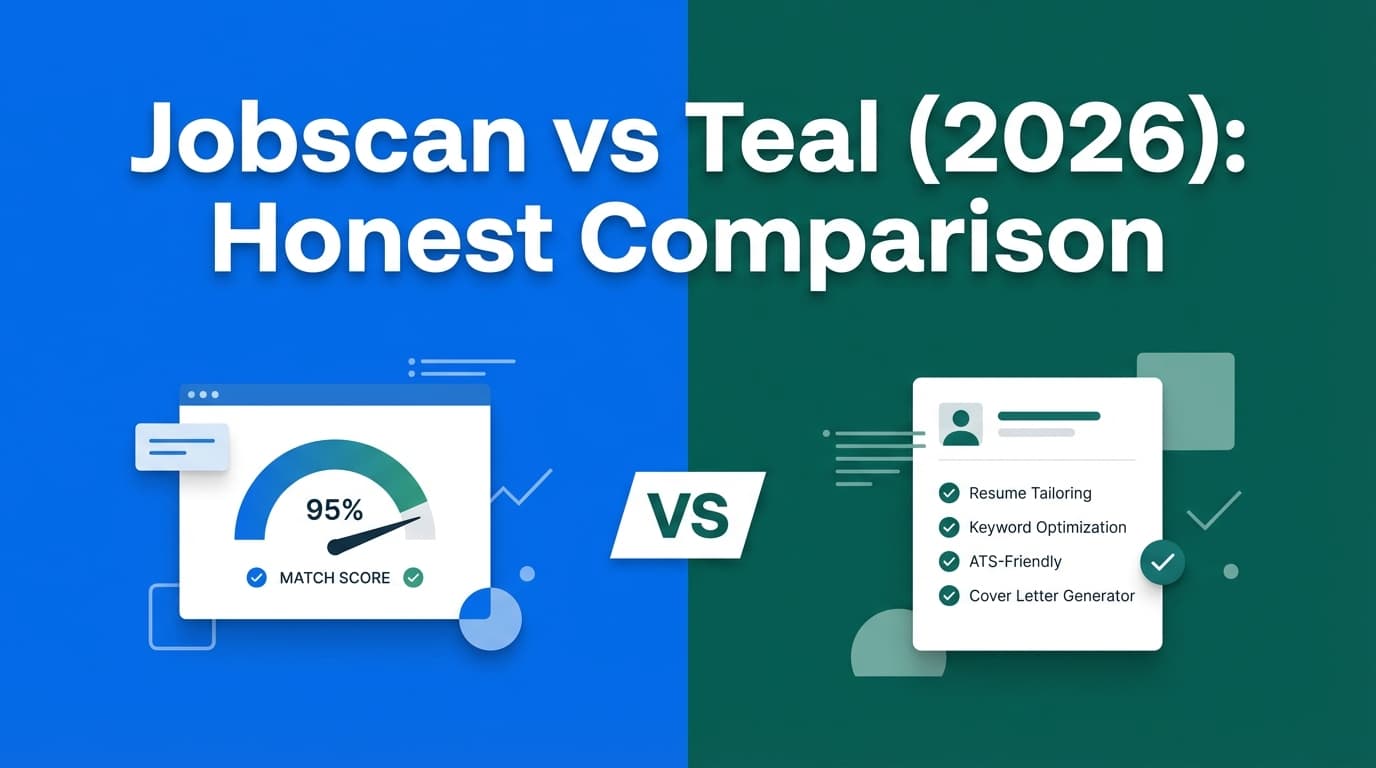
If you’re comparing Jobscan vs Teal, you’re usually trying to answer one practical question:
Do I need a resume scanner that helps me tailor each application (Jobscan)… or an all-in-one job search hub that helps me organize everything (Teal)?
Quick Verdict:
- Choose Jobscan if your biggest bottleneck is getting your resume past ATS filters and you want structured keyword/format feedback tied to a specific job description.
- Choose Teal if your biggest bottleneck is staying organized across dozens of applications—tracking roles, contacts, and saving jobs from job boards with a browser extension.
- Consider JobShinobi (alternative) if you want a workflow that reduces manual tracking by forwarding job emails to automatically create/update applications—plus an ATS-focused resume analyzer.
TL;DR Comparison
| Feature | Jobscan | Teal | JobShinobi (Alternative) |
|---|---|---|---|
| Core purpose | Resume scanning + match feedback | Job tracking hub + resume builder | ATS resume analyzer + email-forwarded auto job tracking |
| ATS / match analysis | Strong focus (job description matching) | Resume/job match features exist, but broader platform | ATS-focused analyzer + resume tools |
| Job tracker | Some tracking features, but not the main “identity” | Strong tracker + extension-led workflow | Strong tracker with email parsing automation |
| Job saving from job boards | Not the primary workflow | Chrome extension to save jobs/companies/contacts | Email-forwarded tracking (not “save from job board” first) |
| Automation | Optimizations + structured guidance | Productivity via extension + centralized tracker | Automatic tracking from forwarded emails |
| Starting price (premium) | $49.95/mo (official plan page snippet) | Teal+ prices vary by source; help center lists $13/wk, $29/mo, $79/qtr | Varies by plan (positioned as paid product) |
| Free plan | Limited (free tier exists) | Free plan available; “no credit card required” messaging | Limited free access depending on plan |
| Best for | Heavy tailoring per role, ATS confidence | End-to-end organization + job saving | People who hate spreadsheets + want tracking automation |
Jobscan Overview
Jobscan is primarily a resume scanner and optimization platform. The main value is tactical: paste (or upload) your resume and a job description, then get feedback intended to improve alignment—often called a “match score” or match analysis.
Where Jobscan tends to shine is when you’re applying to roles where small differences matter—e.g., high-volume corporate recruiting where keyword alignment and clean formatting are important. It’s also helpful if you want a repeatable checklist: skills coverage, keywords, sections, and formatting basics.
Key Strengths
- Resume-to-job matching workflow: Built around comparing your resume against a specific job description.
- Optimization features included in paid plans: Official plan page snippets mention unlimited scans and AI optimization features (desktop-only noted in plan snippet).
Limitations
- Match score expectations: Multiple community discussions suggest users can feel the score is inconsistent or overly influential in decision-making. Practically, you’ll get best results when you treat it as feedback, not as a literal ATS prediction.
- Not an “all-in-one” organizer first: If your biggest pain is managing applications, contacts, follow-ups, and pipelines, Jobscan may feel narrower than Teal.
Teal Overview
Teal positions itself as an all-in-one career platform: resume builder, job tracker, and a Chrome extension that helps you save jobs and manage job search details in one place.
The most verifiable “hands-on” proof point (that’s consistently accessible) is Teal’s Chrome extension listing, which describes a workflow centered on saving jobs, contacts, companies, and resumes in one system—reducing the “where did I apply again?” chaos.
Key Strengths
- Job search organization + tracking: Teal is designed to be your central hub.
- Chrome extension workflow: Save jobs and related info while browsing job boards, then manage everything in the tracker.
- Resume builder included: Teal markets a resume builder and job-match related features as part of the suite.
Limitations
- Pricing clarity can be confusing: Teal+ pricing appears in multiple places with occasional inconsistencies in public snippets. Teal’s help center lists weekly ($13), monthly ($29), quarterly ($79), while other snippets suggest a lower weekly “starting at” price. If pricing is a deciding factor, verify inside your account before committing.
- AI quality varies by expectations: Third-party reviews and forum discussions sometimes criticize AI suggestions as generic or awkward—common across many AI resume tools.
Where JobShinobi Fits (Alternative to Both)
If you’re comparing Jobscan and Teal, you’re likely doing two jobs at once:
- tailoring your documents, and
- tracking your applications.
JobShinobi combines an ATS-focused resume analyzer with a job application tracker—but the standout difference is the workflow:
The differentiator: Email-forwarded auto job tracking
Instead of manually entering applications or relying only on a browser extension, JobShinobi can track applications by having you forward job-related emails (interview requests, confirmations, “thanks for applying” emails) to a unique address. The system parses the email content and creates/updates job application records automatically.
That’s especially useful if:
- you apply across many channels (company sites, referrals, email intros),
- you live in Gmail/Outlook and want the tracker to “just update,”
- you’re losing time to admin work instead of applications.
Key Strengths
- Automatic tracking from emails: Reduces manual entry and the “I forgot to log that application” problem.
- ATS resume analyzer + resume tooling: Built for ATS-conscious job seekers.
- Practical job search CRM approach: More focused on execution than dashboards.
Limitations
- Not extension-first: If your dream workflow is “save every job from job boards with one click,” Teal’s extension-led approach may feel more natural.
- Email-based automation depends on email quality: If recruiters communicate inconsistently or you don’t forward emails, the automation benefits decrease.
Feature-by-Feature Comparison
1) Resume Scanning / ATS Matching
Jobscan:
Jobscan is purpose-built for resume-to-job description matching. If your goal is to systematically raise alignment, it’s the most specialized of the two.
Teal:
Teal includes resume builder and job-match style features, but the platform emphasis is broader: organizing your entire search. Great if you want one platform for multiple tasks, but it may feel less “scanner-first” than Jobscan.
Winner: Jobscan (for pure scanning and job description alignment)
2) Job Tracking + Pipeline Management
Jobscan:
Jobscan offers job search features, but many users adopt it primarily for the scanner. If you’re applying to a handful of roles, this can be enough.
Teal:
This is Teal’s home turf: tracker-centric workflow plus an extension to capture jobs while browsing. It’s designed to reduce spreadsheets and sticky notes.
Winner: Teal (for job tracking as the core experience)
3) Capturing Jobs While Browsing (Extension vs Other Workflows)
Jobscan:
Not known as an extension-led “save this job” platform.
Teal:
Teal’s Chrome extension is a key differentiator. It’s marketed around saving jobs, companies, contacts, and resumes in one place while you browse job boards.
JobShinobi (alternative):
JobShinobi approaches capture differently: rather than saving a posting from a job board, it can automatically update your tracker when the real-world emails arrive (application confirmations, recruiter replies, interviews).
Winner: Teal (for job-board capture).
Best alternative for “real-life tracking automation”: JobShinobi
4) “Less Busywork” Automation
Jobscan:
Automation tends to show up as optimization guidance and AI-assisted edits rather than tracking automation.
Teal:
Automation is mainly about reducing friction: capture jobs via extension, centralize info, and keep a structured workflow.
JobShinobi:
Automation is centered on email-forwarding → auto-created/updated applications, which can remove a lot of tracking admin work.
Winner: Depends on your bottleneck
- Tailoring bottleneck → Jobscan
- Organization bottleneck → Teal
- Admin/tracking bottleneck → JobShinobi
Pricing Comparison (Verify Before Purchase)
Pricing changes frequently. The numbers below reflect publicly available snippets and should be confirmed on the vendor’s checkout page.
| Plan | Jobscan | Teal | JobShinobi |
|---|---|---|---|
| Free | Free tier exists (limited) | Free plan marketed; “no credit card required” messaging appears on Teal resume builder page snippets | Limited free access depending on plan |
| Monthly | $49.95/mo (plan snippet from Jobscan’s plan page) | $29/mo (Teal help center snippet for Teal+) | Varies |
| Quarterly | $89.95/qtr (appears in multiple public snippets) | $79/qtr (Teal help center snippet for Teal+) | Varies |
| Weekly | N/A | $13/wk (Teal help center snippet) though other snippets suggest a lower “starting at” weekly price | N/A |
Value Analysis:
- Jobscan is often worth it when you’re applying to roles where ATS alignment matters and you want a structured scanner workflow repeatedly.
- Teal is often worth it when you’re running a high-volume search and need a single operational system (tracker + resume builder + extension).
- JobShinobi is often worth it if you want fewer manual steps—especially if your inbox is already the “source of truth” for your job search activity.
Who Should Choose Jobscan?
You’ll prefer Jobscan if you:
- Apply to roles where keyword alignment and ATS-friendly formatting are a top concern
- Want a tool that’s scanner-first (resume + job description comparison is the main feature)
- Prefer a focused experience for document optimization over an all-in-one tracker
Who Should Choose Teal?
You’ll prefer Teal if you:
- Need a strong job tracker to manage roles, stages, contacts, and follow-ups
- Want to save jobs from job boards using a Chrome extension and keep everything centralized
- Like an all-in-one platform that includes a resume builder alongside organization tools
Who Should Consider JobShinobi Instead?
You’ll prefer JobShinobi if you:
- Want your tracker to update from real job-search signals (emails) instead of manual entry
- Are tired of spreadsheets and forgetting to log applications
- Want an ATS resume analyzer and a tracker, with a workflow built around automation
Switching Considerations (Teal → Jobscan → JobShinobi)
- Data migration: Most tools don’t offer perfect 1-click migration between trackers. Expect to export/import CSV where supported, or do a light manual move for active applications only.
- Learning curve:
- Jobscan is fastest if you only use scanning.
- Teal takes longer because you’re adopting a system (tracker + extension workflow).
- JobShinobi is easiest if you already manage your search via email—forwarding becomes the habit that powers the tracker.
- Support: Verify support channels (email/chat/help center) in-app for the plan you choose.
FAQ
Is Jobscan “better” than Teal?
Not universally. Jobscan is typically better for resume scanning and job description alignment. Teal is typically better for organizing your job search and capturing jobs while browsing. “Better” depends on whether your bottleneck is tailoring or tracking.
Does Teal have a free plan?
Teal markets a free option (including “no credit card required” messaging on its resume builder). Free-plan limits can change, so confirm inside Teal before you commit your workflow to it.
Is Jobscan’s match score a real ATS score?
Jobscan frames it as a match score/analysis, not a literal “this is what every ATS will do.” Treat it as directional feedback—useful for spotting missing keywords and formatting issues—but don’t optimize blindly at the expense of readability and truthfulness.
Which is cheaper: Jobscan or Teal?
Based on publicly available pricing snippets, Teal+ is usually cheaper than Jobscan monthly (e.g., Teal listed at $29/mo vs Jobscan at $49.95/mo). Confirm current pricing at checkout because plan structures and promotions can change.
When does JobShinobi make more sense than Jobscan or Teal?
When your main pain is manual tracking—especially if you’re already receiving application confirmations, recruiter messages, and interview logistics via email. JobShinobi’s email-forwarding automation can reduce admin work while still supporting ATS-focused resume improvements.