If you searched “Jobscan resume scanner for cover letter review”, you’re likely trying to solve a very specific problem: you don’t want to send a generic cover letter (or resume) that gets ignored—and you want feedback that’s tied to the actual job description.
Both Jobscan and JobShinobi aim to help you tailor applications, but they’re built with different priorities:
- Jobscan is known for its match-report scanning workflow and (importantly for this query) cover letter scanning/review.
- JobShinobi is a resume-first system that combines ATS analysis + job matching + LaTeX resume building + version history and a standout email-forwarding job application tracker.
Quick Verdict:
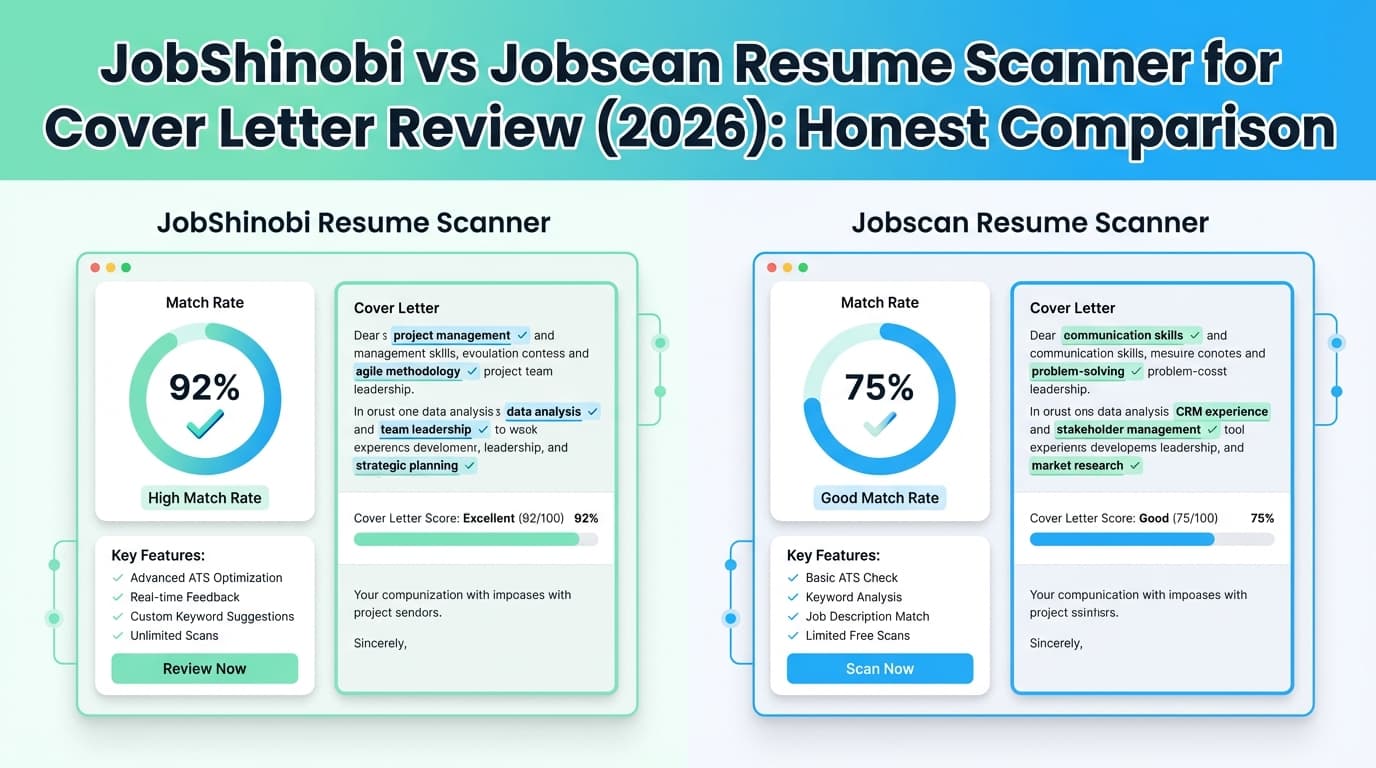
- Choose Jobscan if your primary need is cover letter review/scanning (plus resume scanning in the same workflow).
- Choose JobShinobi if you want a broader, lower-cost system for resume tailoring + tracking your pipeline automatically + analytics, and you don’t need a dedicated cover letter scanner.
TL;DR Comparison
| Feature | JobShinobi | Jobscan |
|---|---|---|
| Resume vs job description scanning | ✅ Yes (resume scoring + ATS feedback + match analysis) | ✅ Yes (core “match report” style scanning) |
| Cover letter review / cover letter scans | ❌ Not positioned as a cover letter scanner today | ✅ Yes (Jobscan support docs describe scanning cover letters via Power Edit and a Cover Letter tab) |
| AI cover letter generator | ❌ Not a core feature today | ✅ Yes (listed in plan snippets; Jobscan pages also describe an AI cover letter generator) |
| Resume builder | ✅ Yes (LaTeX templates + editor + PDF compile/preview) | ✅ Yes (Jobscan promotes a “resume builder” and related tooling) |
| Job application tracking | ✅ Yes (email-forwarding automation + tracker + Excel export) | ✅ Yes (Jobscan promotes Job Tracker; Chrome extension exists) |
| Best differentiator | Forward emails → auto-log applications + LaTeX workflow + version history | Cover letter scans/reports + guided match workflow |
| Paid starting price | $20/month | $49.95/month (Premium; per Jobscan plan snippets) |
| Free plan | Limited (key automation gated to Pro) | ✅ Free tier shown (plan snippets include 5 free resume scans/month) |
Verification note (important): Several public Jobscan pages returned HTTP 403 to automated page fetch during verification. Where that happened, competitor details were verified via Jobscan’s app subdomain plan snippets (app.jobscan.co) and Jobscan support/help article snippets (support.jobscan.co) and other search-visible official pages.
JobShinobi Overview
JobShinobi is an AI resume builder + ATS analyzer + job search tracker built for people who want to do two things well:
- tailor a resume quickly for each role without losing formatting, and
- keep the entire job search organized without living in spreadsheets.
Instead of optimizing heavily for cover letters, JobShinobi’s “center of gravity” is your resume and your pipeline.
Key Strengths
- Email-forwarding → automatic job tracking (unique): You get a forwarding address; when you forward job-related emails, JobShinobi uses AI to extract details (company/title/status, etc.) and logs them to your tracker. This is gated to Pro.
- Job application tracker + Excel export: Track applications (manual CRUD + real-time updates) and export to
.xlsx. - Analytics dashboard: Tracks response rate, interview conversion, offer rate, and trends based on your logged applications.
- LaTeX resume builder + cloud PDF preview: Edit LaTeX and compile to PDF with a live preview (download PDF and
.tex). - Resume scoring + ATS/keyword feedback: Structured analysis of content, keywords, formatting, and ATS alignment (with caching so you don’t repeat the same analysis unnecessarily).
- Job description extraction + resume-to-job match: Paste a JD (or URL/text), extract structured requirements/keywords, and get a match analysis and tailoring suggestions.
- Version history (“unlimited undo”): Resume changes are versioned so you can revert and compare tailored variants.
Limitations (Being honest)
- No dedicated cover letter scanner: If your main goal is to “grade” a cover letter against a posting, JobShinobi is not built for that today.
- Most unique automation is paid: The email-forwarding tracking (JobShinobi’s standout feature) requires Pro.
Jobscan Overview (Verified)
Jobscan is widely used as an ATS resume scanner that compares your resume to a job description and produces a match-style report.
For your specific query—cover letter review—Jobscan is one of the clearer options because it explicitly supports cover letter scanning/review inside its workflow.
Key Strengths (Verified)
- Cover letter scanning/review: Jobscan’s help center includes an article titled “How do I scan a cover letter with Jobscan?” that describes scanning via Power Edit and using a Cover Letter tab in results. (Verified via support.jobscan.co search result snippets.)
- AI Cover Letter Generator: Jobscan promotes an AI cover letter generator and plan snippets list it as included for paid tiers.
- Clear free tier scan allowance: Jobscan plan snippets show 5 free resume scans on signup and 5 free resume scans monthly.
- Premium features shown in plan snippets: Plan snippets mention items like Unlimited Resume Scans, Unlimited One-Click AI Optimizations (desktop only), plus AI generators and LinkedIn optimization tooling.
Common Limitations (From reviews and user feedback patterns)
Jobscan gets a lot of praise for clarity and keyword matching, but recurring concerns show up across review platforms and forums:
- Formatting/export cleanup: Trustpilot review snippets commonly mention the tool is helpful, but exported results/formatting can require manual edits.
- Price sensitivity: $49.95/month can feel expensive if you only apply to a few roles (or if you need it for a short burst).
- Consistency skepticism: Some users on Reddit report inconsistent scores across scans or question how “real” the ATS simulation is. (This doesn’t mean it’s useless—just that scores should be treated as guidance, not truth.)
Feature-by-Feature Comparison (Focused on cover letter review)
1) Cover Letter Review / “Cover Letter Scanner”
JobShinobi:
JobShinobi is currently resume-first. You can use job matching insights to decide what your cover letter should emphasize, but JobShinobi does not market (or implement) a dedicated “cover letter scan report” the way Jobscan does.
Jobscan:
Jobscan is a better match for the exact intent behind “Jobscan resume scanner for cover letter review.” Jobscan’s help center describes scanning a cover letter as part of its workflow (Power Edit → results page → Cover Letter tab).
Winner: Jobscan (purpose-built cover letter scanning/review)
2) Resume Scanning / ATS Optimization
JobShinobi:
- Resume scoring with ATS/keyword feedback and structured analysis fields.
- Job description extraction and match analysis to highlight missing/present keywords and tailoring suggestions.
- Great if you want to iterate rapidly while preserving formatting via LaTeX and keeping versions.
Jobscan:
- Resume scanning is the product’s core: paste/upload resume + job description → match-style report.
- Often preferred by users who want a guided workflow and a fast “what to fix” list.
Winner: Tie (different strengths)
- Choose Jobscan for the classic match-report workflow and a cover-letter-capable system.
- Choose JobShinobi if your workflow is “tailor, version, analyze, track outcomes” end-to-end.
3) Job Tracking & Workflow (Staying Organized)
JobShinobi:
JobShinobi is strongest here because it reduces manual work:
- Forward emails → auto-create/update applications
- Real-time tracker + Excel export
- Analytics that connects effort to outcomes (response rates, conversions, etc.)
Jobscan:
Jobscan offers a Job Tracker and also has a Chrome extension (Chrome Web Store listing shows saving jobs into Jobscan Job Tracker from boards like LinkedIn/Indeed/Glassdoor).
Winner: JobShinobi for automation; Jobscan is strong if you want extension-based saving inside the browser.
4) Resume Building & Formatting Control
JobShinobi:
- LaTeX templates + editor + compiled PDF preview
- Download PDF and
.tex - Version history designed for tailoring per role
Jobscan:
- Jobscan promotes a resume builder and resume-related tools, but its core identity is scanning/optimization rather than a formatting-control workflow like LaTeX.
Winner: JobShinobi (especially if formatting consistency and versioning matter)
Pricing Comparison (Verified)
Pricing changes, so confirm at checkout. Jobscan public pages were partially blocked to automated fetch (403), so pricing below is verified via app.jobscan.co plan snippets and related official pages visible in search results.
| Plan | JobShinobi | Jobscan |
|---|---|---|
| Free | Limited (core email automation requires Pro) | $0 (plan snippets show 5 free scans/month) |
| Monthly paid | $20/month | $49.95/month (Premium; plan snippets show billed monthly) |
| Multi-month | $199.99/year | $89.95 billed every 3 months (quarterly; plan/promos snippets show 2-week free trial with quarterly) |
| Trial | Marketing references 7-day free trial | Official pages/snippets reference a 2-week (14-day) free trial for select plans |
Value Analysis (real-world):
- If you need cover letter scans + resume scans in a single system, Jobscan’s higher price can be justified.
- If you primarily need resume tailoring plus a system that keeps you organized and accountable, JobShinobi’s $20/month is a lower barrier—especially if the email-forwarding tracker replaces spreadsheets and manual updates.
Who Should Choose JobShinobi?
Choose JobShinobi if you:
- Want automatic job tracking by forwarding emails (application confirmations, interview scheduling, rejections).
- Prefer a resume-first workflow with serious formatting control (LaTeX + PDF compile).
- Tailor resumes frequently and need version history so you can revert and compare variants.
- Want to measure progress with job search analytics (response rate, interview conversion).
- Want a lower-cost tool and don’t require dedicated cover letter scanning.
Who Should Choose Jobscan?
Choose Jobscan if you:
- Specifically need cover letter review/scanning (the most direct match for this keyword intent).
- Want a more guided match report experience across resume + cover letter.
- Need unlimited scans and expect to apply to many roles in a short period (where cost-per-application becomes reasonable).
- Want job-tracking that integrates with browsing (Job Tracker + extension workflow).
Switching from Jobscan to JobShinobi (Practical Considerations)
- Data migration: JobShinobi supports manual tracking and Excel export, but it does not advertise a one-click import from Jobscan. If you have exported data, you may need to re-enter key applications—or start fresh.
- Learning curve: If you’ve never used LaTeX, expect a learning curve. JobShinobi’s templates + PDF preview reduce the pain, but it’s still a different approach than a form-based builder.
- Workflow shift: JobShinobi is less “scan and score” and more “build a system”: tailor resume, track applications automatically, and watch results in analytics.
FAQ
Is Jobscan actually good for cover letter review?
Yes—Jobscan is one of the clearer “cover letter review” tools in this category because its help center describes a process to scan a cover letter (via Power Edit) and review results in a Cover Letter tab.
Is JobShinobi better than Jobscan?
It depends on your goal.
- For cover letter review, Jobscan is the better fit.
- For a broader resume-first workflow—LaTeX resume building, versioning, ATS analysis, job matching, and automated tracking via forwarded emails—JobShinobi is often the better system.
Which is cheaper?
JobShinobi is cheaper on published pricing: $20/month vs Jobscan Premium $49.95/month (per plan snippets). Jobscan also advertises a quarterly option ($89.95 every 3 months) and a free tier with limited scans.
Do ATS systems actually scan cover letters?
Sometimes. Many ATS platforms store cover letters and can parse/search them, but resume content is usually the primary structured data source. Cover letters still matter for humans—and for keyword alignment in systems that search attachments—so tools like Jobscan can be useful, especially when they keep you aligned to the posting without stuffing.