If you’re searching for the best free ATS resume scan tools in 2026, you’re probably trying to do two things fast:
- Make sure your resume is parsable and keyword-aligned for a specific job
- Do it without paying $50/month unless it clearly moves the needle
This comparison covers JobShinobi vs Jobscan, then lists the best free ATS resume scan tools you can use immediately.
Quick Verdict:
- Choose Jobscan if you want a well-known, scanner-first product with a clear Match Rate concept and lots of add-on optimization tools (cover letter, LinkedIn, etc.)—and you’re OK with limited free usage and a higher paid price.
- Choose JobShinobi if you want ATS scanning + job matching plus a full job tracker (including email-forwarding automation) at a lower price point.
Important verification note: Several Jobscan marketing pages (e.g.,
jobscan.co/...) blocked automated page fetches with HTTP 403 during this research run, so we verified Jobscan details via (1) Google-indexed snippets for official Jobscan URLs (notablyapp.jobscan.co/plan) and (2) Jobscan support/help center pages visible in search results. Where a claim is not directly verifiable from these sources, we do not state it as fact.
TL;DR Comparison
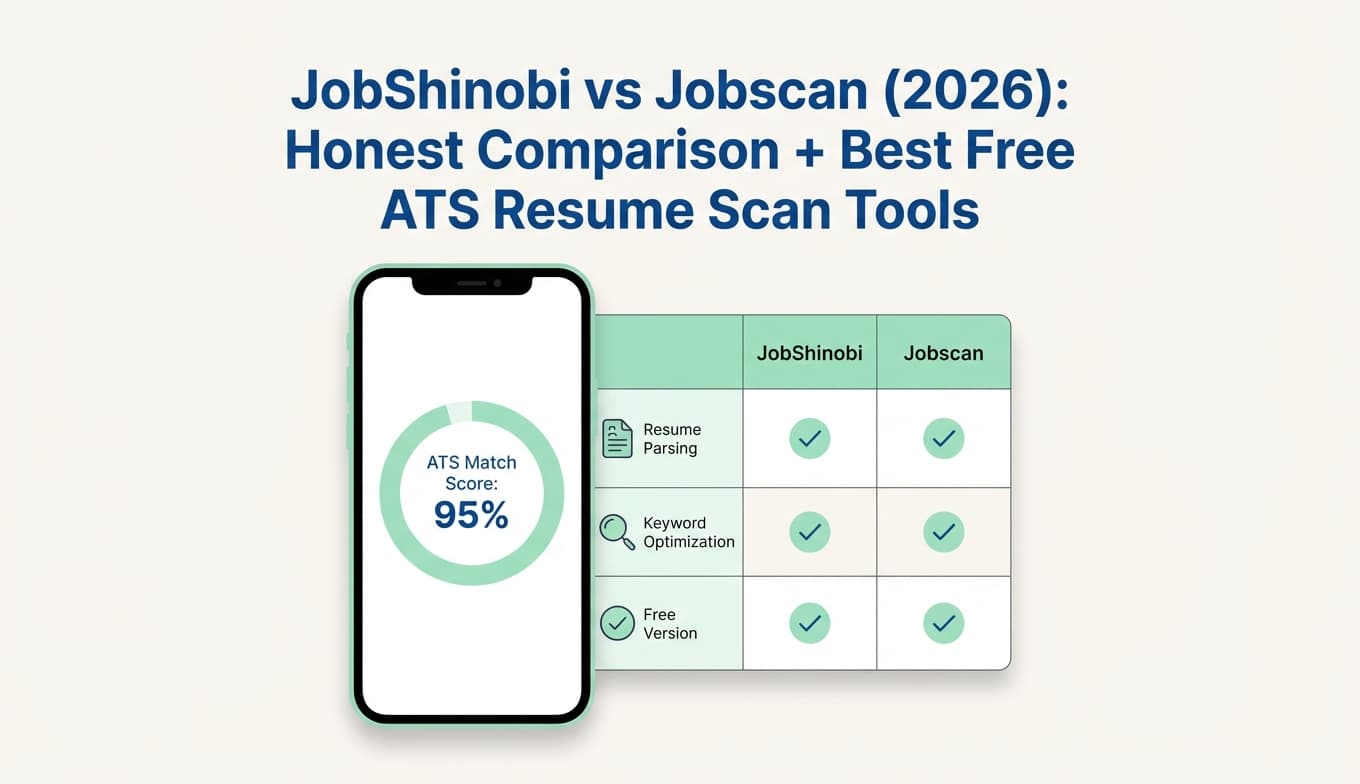
| Feature | JobShinobi | Jobscan |
|---|---|---|
| ATS resume scan + scoring | ✅ Yes (resume scoring + ATS/keyword/formatting feedback) | ✅ Yes (resume scan + Match Rate concept widely documented by Jobscan) |
| Resume ↔ job description matching | ✅ Yes (match score + missing/present keywords) | ✅ Yes (core functionality) |
| Resume editing workflow | ✅ Yes (LaTeX editor + live PDF preview + AI agent) | ✅ Yes (Jobscan promotes “Power Edit” in search results) |
| Job application tracking | ✅ Yes (tracker + analytics + Excel export) | ✅ Yes (Job Tracker appears in plan snippet) |
| Email-forwarding → auto-log applications | ✅ Yes (unique differentiator; Pro-gated) | ❌ Not found in verifiable sources |
| Free plan | Limited (automation/email processing gated to Pro) | Limited: 5 free resume scans monthly (from Jobscan plan snippet + Jobscan support snippet) |
| Paid starting price | $20/month (Pro) | $49.95/month (Monthly plan snippet) |
| Cheaper paid option | $199.99/year | Quarterly: $89.95 every 3 months (snippet) |
| Best for | Power users who want an end-to-end job search system | People who want a dedicated scanner brand + lots of related optimizers |
Best Free ATS Resume Scan Tools (2026)
If “free” is non-negotiable, these are the tools most consistently surfaced in 2026 “free ATS scan” searches:
1) ResyMatch.io (Cultivated Culture) — best for unlimited free scans
- Positioned as a free ATS resume scanner & job description match (
cultivatedculture.com/resume-scanner/) - Cultivated Culture help center states it’s completely free with no scan limits (per their help article snippet)
Why it’s great: If you want unlimited scans without paying, ResyMatch is one of the few that explicitly claims no scan limits.
2) Resume Worded — best for fast “ATS scan + score” feedback
- “Resume Scanner – Get a Free ATS Resume Scan” (
resumeworded.com/resume-scanner) - Also offers resume scoring pages like
resumeworded.com/score
Why it’s great: Quick, easy baseline feedback; good for a second opinion.
3) TripleTen ATS Resume Checker — best “no-friction” free checker
- Explicitly marketed as “ATS Resume Checker | 100% Free” (
tripleten.com/tools/ats-resume-checker/)
Why it’s great: Clear promise of free usage and simple scanning.
4) SkillSyncer — best budget-friendly “scanner + tracker” alternative
- Markets itself as a free ATS resume scanner (
skillsyncer.com) - Also has paid plans (varies; confirm on their site)
Why it’s great: If you want scanning plus light job-tracking features without Jobscan pricing.
5) Jobscan (Free tier) — best if you want Jobscan’s methodology without paying
- Jobscan’s plan page snippet shows 5 free resume scans monthly
- Jobscan support snippet confirms monthly scan refresh mechanics and a cap (support article about free monthly scans)
Why it’s great: You get access to Jobscan-style matching without committing to paid right away—just expect tight limits.
JobShinobi Overview
JobShinobi is an AI resume builder + ATS resume analyzer + job search tracker designed for people who want to tailor quickly and stay organized without spreadsheets.
Key capabilities (from product documentation):
- Resume scoring + ATS feedback (keywords, formatting, completeness, ATS considerations)
- Job description extraction + resume-to-job matching (match score, missing vs present keywords)
- LaTeX-based resume editor with cloud compilation and live PDF preview
- AI resume agent (chat-based editing, versioned changes, compile checks)
- Job application tracker with realtime updates, analytics, and Excel export
- Email-forwarding automation that extracts job application details from forwarded emails and creates/updates entries (Pro-only)
Key Strengths
- Email-forwarding job tracking (rare): Forward job-related emails to your unique address; JobShinobi extracts company/title/status and updates your tracker.
- All-in-one workflow: Scan → match → edit → track → measure response rate, all inside one product.
- Version history (“unlimited undo” in practice): Resume changes are stored as versions so you can revert confidently.
Limitations (Honest)
- Not a “free unlimited scanner”: JobShinobi’s free tier exists, but core automation (email processing) is Pro-gated.
- LaTeX isn’t for everyone: Some users prefer a classic Word/drag-and-drop editing experience.
Jobscan Overview (verified via official URLs in search results)
Jobscan is best known for comparing your resume to a job description and producing a Match Rate plus recommendations. Jobscan also promotes additional job-search tools (cover letters, LinkedIn optimization, etc.), but scanning/matching is the center of gravity.
What we can verify from Jobscan-owned URLs surfaced in search:
- Free plan includes scan limits: The plan snippet shows 5 free resume scans monthly and “5 ATS & recruiter findings,” plus Job Tracker.
- Paid plans: Search snippets show $49.95/month for monthly and $89.95 every 3 months for quarterly (often displayed as ~$29.98/mo billed quarterly).
- Match-rate guidance exists on Jobscan blog/video pages: Search results show Jobscan recommending targets like 75% and also discussing 80% in a “what match rate should I aim for” post/video.
We attempted direct page analysis of several
jobscan.coURLs; many returned HTTP 403, so we are intentionally conservative about unverified feature claims.
Key Strengths
- Scanner-first product experience: Clear focus on resume/job matching and a score concept people understand quickly.
- Well-known brand: Lots of third-party reviews, tutorials, and community discussion.
- Free tier available: Helpful for light usage (a few tailored applications per month).
Limitations (from common review themes)
Based on common feedback patterns visible across Reddit threads and review roundups in search:
- Cost concerns: Many users describe it as expensive for what it does, especially at the monthly rate.
- Score skepticism: Some job seekers doubt that “beating ATS” can be reduced to one number and report inconsistent results across scans.
- Free tier may be too limited for active job seekers: If you’re applying broadly, 5 scans/month can be restrictive.
Feature-by-Feature Comparison
1) ATS Resume Scanning & Feedback Depth
JobShinobi:
Provides structured resume scoring and ATS/keyword feedback and can cache analyses so you don’t repeat work unnecessarily.
Jobscan:
Built around resume-to-job matching with a Match Rate and guidance on what score to aim for (Jobscan content commonly references targets like 75–80%).
Winner: Tie
- Jobscan wins for a widely recognized “Match Rate” framing.
- JobShinobi wins for deeper integration into editing + tracking + version history.
2) Resume Editing Experience
JobShinobi:
LaTeX editor + cloud compilation + PDF preview, plus an AI agent that can propose edits and save versions.
Jobscan:
Promotes “Power Edit” in search results as a resume editor that scores while you work and checks formatting.
Winner: Depends on your workflow
- Prefer structured, highly consistent formatting and version control → JobShinobi
- Prefer a conventional in-browser editor tightly tied to their scanner → Jobscan
3) Resume-to-Job Matching
JobShinobi:
Paste a job URL/description → extract requirements → compute match score and keyword gaps → apply suggestions back to the editor.
Jobscan:
This is the product’s core strength: match resume to a job description and optimize based on the report.
Winner: Jobscan (slight)
Jobscan is the more established “matching-first” tool. JobShinobi is extremely competitive here if you value the integrated workflow.
4) Job Tracking & Staying Organized
JobShinobi:
Full job tracker with realtime updates, status changes, analytics, and Excel export.
Jobscan:
Job Tracker appears in the plan snippet, indicating built-in tracking exists.
Winner: JobShinobi
JobShinobi goes further on tracking/analytics and reduces manual updates with automation.
5) Automation: Email Forwarding → Auto-Logged Applications
JobShinobi:
Yes—this is a standout capability. Forward application emails and JobShinobi auto-creates/updates your job tracker entries (Pro-only).
Jobscan:
No verified evidence of email-forwarding-based auto logging found.
Winner: JobShinobi (clear)
Pricing Comparison (Current as of 2026-01-21)
| Plan | JobShinobi | Jobscan |
|---|---|---|
| Free | Limited (automation features gated) | $0 (includes 5 free resume scans monthly per plan snippet) |
| Monthly | $20/mo | $49.95/mo (plan snippet) |
| Quarterly | — | $89.95 every 3 months (plan snippet) |
| Yearly | $199.99/yr | Not reliably verified from accessible sources in this research run |
Value analysis:
- If you only need a handful of scans per month, Jobscan Free is a reasonable starting point.
- If you want ongoing tailoring and organization, Jobscan’s monthly price can be hard to justify for many job seekers.
- If you value an end-to-end workflow and automation, JobShinobi’s price is materially lower and includes tracking + analytics.
Who Should Choose JobShinobi?
Choose JobShinobi if you:
- Want to track applications automatically (email-forwarding is the big differentiator)
- Want ATS scanning + job matching plus a job-search CRM in one place
- Apply to many jobs and want analytics (response rate, trends, conversion)
- Prefer a structured resume workflow with version history and consistent formatting
Who Should Choose Jobscan?
Choose Jobscan if you:
- Want a widely recognized resume/job Match Rate workflow
- Prefer Jobscan’s style of scan reports and score targets (75–80% guidance appears across Jobscan content in search)
- Are OK staying within free scan limits or paying more for unlimited usage
- Want an ecosystem that includes add-ons like LinkedIn and cover letter tools (not fully verified via direct page fetch in this run, but referenced in plan snippets)
Switching from Jobscan to JobShinobi
- Migration: No verified one-click import from Jobscan. Most users can start by tracking new applications in JobShinobi and manually adding only the most important past applications.
- Learning curve: Moderate if you’ve never used a LaTeX-based editor; low if you’re already comfortable with structured resumes.
- Best approach: Use Jobscan Free for occasional scans while you test JobShinobi for the broader workflow.
FAQ
Is JobShinobi “better” than Jobscan?
Not universally. If you want the most established match-rate scanner experience and can afford it, Jobscan can be a great fit. If you want scanning + matching plus a better system for staying organized (especially via email-forwarding automation), JobShinobi is often the better overall workflow.
Is Jobscan free?
Jobscan offers a free plan with limits. Jobscan’s plan snippet and support content in search results indicate 5 free resume scans monthly (and scans refresh monthly).
Which is cheaper?
On monthly pricing, JobShinobi ($20/mo) is cheaper than Jobscan ($49.95/mo) based on current plan snippets surfaced in search.
What’s the best truly free ATS resume scan tool in 2026?
If you want free + unlimited scans, ResyMatch.io is a strong option because Cultivated Culture’s help center states it’s free with no scan limits (always verify on their site in case policies change).