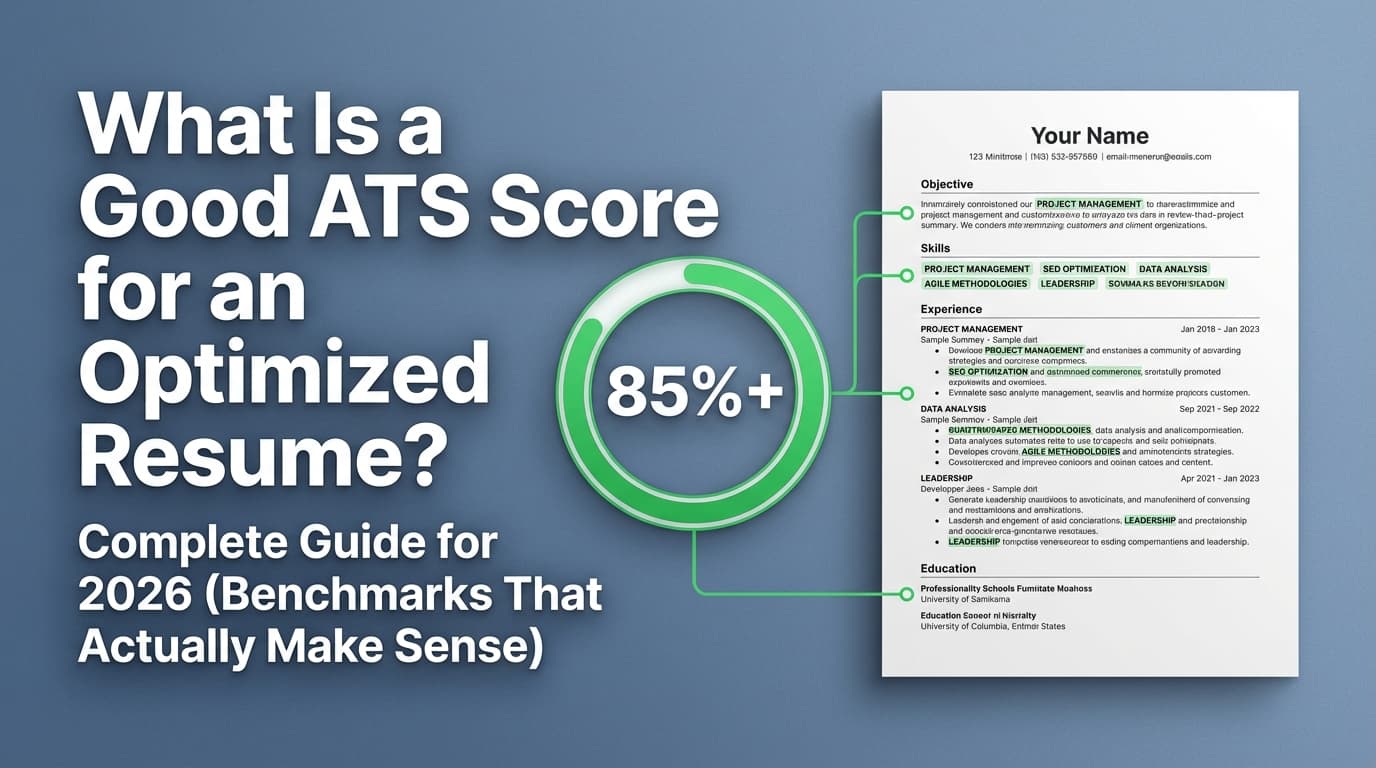
If you’re staring at a resume scanner score—65%, 72%, 89%—and wondering whether that number is why you’re not getting interviews, you’re not alone. Job seekers fixate on scores because the job search already feels like a black box…and ATS software makes it feel more automated.
Here’s the context that matters:
- 98.4% of Fortune 500 companies used a detectable ATS in 2024, according to Jobscan’s ATS Usage Report (Confidence: High).
Source: https://www.jobscan.co/blog/fortune-500-use-applicant-tracking-systems/
So yes—ATS systems are real. But your “resume scan score” isn’t a universal pass/fail grade, and chasing 100% can actually hurt your chances if it makes your resume harder to read or less truthful.
In this guide, you’ll learn:
- What a resume scan score actually is (and what it isn’t)
- What score ranges are “good” (and when 60–70 can still be fine)
- A step-by-step method to raise your score without keyword stuffing
- Common mistakes that tank ATS scans (formatting, headings, file type)
- Tools that help (including how JobShinobi supports AI resume analysis and job matching)
What is a resume scan score?
A resume scan score (also called an ATS score, resume score, or match rate) is a tool-generated estimate of how well your resume:
- Parses (can the text be extracted and categorized correctly?)
- Matches a specific job description (keywords, skills, role language)
- Meets basic “resume quality” heuristics (structure, completeness, sometimes impact)
Important: there is no single “official ATS score”
Different scanners use different algorithms and weights. A 78% in one tool could be a 62% in another—even with the same resume and job description.
That’s why it’s more accurate to treat your score as a diagnostic rather than a definitive grade.
What is a good resume scan score? (Practical benchmark ranges)
Because scores aren’t standardized, “good” depends on how the tool calculates it. But in practice, many scanner-style tools and ATS-checker pages commonly recommend aiming around 75–80%+ for strong alignment (you’ll see this repeated across resume checker pages like Jobscan, Zety, MyPerfectResume, Enhancv, SkillSyncer, and Resume Worded—each with its own phrasing).
Use these ranges as a working benchmark, not a guarantee:
Resume scan score ranges (most scanners)
- 90–100: Excellent alignment on that tool—but double-check you didn’t overfit or copy-paste the job post.
- 80–89: Strong and typically “competitive” for online applications.
- 70–79: Decent; usually indicates a few keyword gaps or minor formatting/structure issues.
- 60–69: Borderline; you’re often missing core terms, using weak headings, or having parsing issues.
- Below 60: Typically a sign you should fix fundamentals first (format, sections, missing required keywords).
Why “80%” shows up so often
Examples of published guidance from major resume-tool sites:
-
Jobscan: “We generally recommend a match rate score of 80% … many see success with 75%” (Confidence: Medium, because the detailed article may be access-restricted to some crawlers, but the claim appears in search results/snippets and in Jobscan materials).
Source (snippet appears for this page): https://www.jobscan.co/blog/what-jobscan-match-rate-should-i-aim-for/ -
Zety: “A good ATS score has to be 80% or higher.” (Confidence: Medium, based on Zety’s published guidance.)
Source: https://zety.com/resume-check -
MyPerfectResume: “A strong ATS resume score is typically 80% or higher…” (Confidence: Medium, based on their published guidance.)
Source: https://www.myperfectresume.com/resume/ats-resume-checker -
Enhancv: “If your resume scores higher than 80 you can count that it’s mostly good…” (Confidence: Medium, published on their resume checker page.)
Source: https://enhancv.com/resources/resume-checker/ -
SkillSyncer sample report references “recommended score of 80 to be competitive.” (Confidence: Medium, from their published sample.)
Source: https://skillsyncer.com/scans/sample
What to do with this: Aim for ~80% as a helpful target for online applications, but don’t sacrifice clarity, accuracy, or recruiter readability just to bump a number.
Why resume scan scores matter in 2026 (and why they’re easy to misunderstand)
1) ATS usage is extremely common (especially at big employers)
As noted earlier, Jobscan reports 98.4% of Fortune 500 companies used a detectable ATS in 2024 (Confidence: High).
Source: https://www.jobscan.co/blog/fortune-500-use-applicant-tracking-systems/
That doesn’t mean “the ATS rejects 75% of people automatically”—it means ATS tools are part of the workflow: intake, parsing, search/filtering, knockout questions, recruiter pipelines, etc.
2) Humans still skim fast—structure matters even after “passing”
The Ladders’ eye-tracking research is widely cited for recruiters spending about 7.4 seconds in an initial scan (Confidence: Medium; the study is older, but the “fast skim” behavior aligns with modern recruiting realities).
Source: https://www.theladders.com/career-advice/why-do-recruiters-spend-only-7-4-seconds-on-resumes
So even if your scan score improves, your resume still has to “sell” quickly once a recruiter opens it.
3) Job seekers are applying at volume—and patience is thin
HiringThing reports 66% of job seekers said they would wait only two weeks for a callback before moving on (Confidence: Medium).
Source: https://blog.hiringthing.com/job-application-statistics
That’s why many job seekers use scanners: they want quicker iteration cycles and fewer “silent rejects.”
4) Resume norms are evolving (including length)
Resume Genius reports:
- 57% of hiring managers review a resume for 1–3 minutes
- 54% of hiring managers prefer two-page resumes
(Confidence: Medium, as survey data varies by role/industry.)
Source: https://resumegenius.com/blog/job-hunting/hiring-trends-survey
This matters because some scanners implicitly reward longer resumes (more keyword opportunities), while humans may prefer tighter relevance. You need both.
5) A commonly cited “sweet spot” for length exists—but treat it as directional
Forbes summarized a TalentWorks analysis (125,000 resumes) stating the ideal length was 475–600 words, and 77% of resumes were outside that range (Confidence: Medium, since it’s secondary reporting).
Source: https://www.forbes.com/sites/carolinecastrillon/2021/05/20/what-one-company-learned-after-analyzing-125000-rsums/
Use it like this: You don’t need to hit a perfect word count—but if your resume is extremely short or extremely long, it can hurt both readability and relevance.
What resume scanners actually measure (so you improve the right things)
Most “resume scan score” tools blend four categories:
1) Keyword alignment (resume vs job description)
This is usually the biggest driver. Tools look for:
- Hard skills (SQL, Python, Salesforce, Jira)
- Tools/tech stacks (AWS, Tableau, React)
- Domain terms (HIPAA, SOX, B2B, paid search)
- Role deliverables (dashboards, stakeholder management, incident response)
- Sometimes job titles and seniority language
Key insight: You can often jump from ~60 to ~80 by adding legitimate missing keywords—especially in your Skills section and in experience bullets.
2) Parsing & “ATS readability” (formatting/structure)
Many ATS systems parse resumes into structured fields. Workable describes resume parsing as extracting data like names, job titles, and education, organizing it into a structured format (Confidence: High as an ATS vendor educational source).
Source: https://resources.workable.com/stories-and-insights/how-ATS-reads-resumes
If your resume is built with complex layout elements (tables, columns, text boxes), parsing can scramble your content—hurting both autofill and keyword recognition.
3) Section detection and standard headings
Many scanners (and many ATS parsers) do better with standard headings like:
- Work Experience / Experience
- Education
- Skills
- Projects
- Certifications
MIT’s career advising office recommends keeping formatting simple and ATS-friendly (Confidence: High as a credible university career source).
Source: https://capd.mit.edu/resources/make-your-resume-ats-friendly/
4) Heuristics (quality/completeness)
Some tools check:
- Presence of contact info
- Date formatting consistency
- Bullet structure
- Vague language vs specifics
- Sometimes “impact” signals (numbers, scope)
These can be useful—but are also where scores can become noisy and tool-specific.
The most important mindset shift: treat your score as a diagnostic, not the goal
Instead of asking only:
“What is a good resume scan score?”
Use your scan to answer:
- Does my resume parse cleanly?
- Am I missing core required keywords?
- Are my headings standard so fields don’t get lost?
- Did I “improve the score” in a way that made the resume worse for humans?
How to interpret your resume scan score (step-by-step)
Step 1: Identify which score you’re looking at
Different tools use different naming:
- “Match Rate”
- “ATS Score”
- “Relevancy Score”
- “Resume Grade”
For example, Resume Worded frames one tool as a “Relevancy Score” and suggests that below 80 indicates missing important skills (Confidence: Medium, based on their published tool copy and page structure).
Source: https://resumeworded.com/targeted-resume
Action: Find the sections that explain what the score includes (keywords vs formatting vs structure).
Step 2: Check parsing before you do any keyword work
This is the fastest way to stop score whiplash.
Quick “plain text test”:
- Copy/paste your resume into a plain text editor (or a simple Google Doc).
- If the order is scrambled, headings disappear, or bullets collapse, parsing may be an issue.
Several career resources and job seeker communities recommend this as a sanity check (Confidence: Medium, because it’s more of a practical heuristic than a formal test, but it’s widely used).
Example discussion appears in search results: “copy/paste into Notepad” tests.
Fix formatting first if:
- Company names merge into dates
- Job titles disappear
- Skills get scattered
- Sections reorder strangely
Step 3: Build a “core keyword set” from the job description
Pull out:
- Required tools/skills
- Role outputs/deliverables
- Domain terms
- “Must-have” responsibilities repeated 2+ times
Tip: Don’t try to match every word. Prioritize:
- Requirements section
- Repeated phrases
- Tools/certifications that appear multiple times
Step 4: Add missing keywords in the right places
Best locations (for both scanners and humans):
- Skills section (clean list)
- Experience bullets (in context)
- Projects (if relevant)
- Certifications (if real)
Avoid:
- Keyword dumps
- Copying entire job responsibilities
- Hidden text tricks (more on that below)
Step 5: Re-scan in small cycles
Don’t change 30 things at once. Use cycles:
- Formatting fixes
- Keyword alignment
- Impact bullet upgrades
- Final trim for readability
This prevents you from “fixing” the score while damaging your narrative.
How to improve your resume scan score (without turning your resume into a keyword soup)
Step 1: Fix the formatting issues that commonly break ATS parsing
Many career sources recommend a simple structure. Common guidance includes:
-
Avoid complex formatting and keep things simple (Indeed) (Confidence: High as a mainstream career resource).
Source: https://www.indeed.com/career-advice/resumes-cover-letters/automated-screening-resume -
Keep it simple; avoid tables/columns and use professional fonts (Robert Half) (Confidence: High as a reputable staffing/career resource).
Source: https://www.roberthalf.com/us/en/insights/landing-job/get-your-resume-past-the-robots-5-tips-to-conquer-applicant-screening-systems -
Use readable fonts and avoid overly stylized designs (MIT CAPD) (Confidence: High).
Source: https://capd.mit.edu/resources/make-your-resume-ats-friendly/
High-impact formatting checklist:
- Use a single-column layout (safest default)
- Avoid tables and text boxes for critical information
- Avoid putting critical info only in headers/footers
- Use standard bullets (•) and consistent indentation
- Use standard headings (“Work Experience,” “Education,” “Skills”)
Step 2: Ensure your headings are ATS-parseable
Some tools and guides specifically warn against “creative” headings that parsers don’t recognize.
A university career toolkit example: guidance to use standard headings like “Work Experience” and “Education” appears in career center resources (e.g., Santa Clara University career toolkit references standard headings) (Confidence: Medium; it’s best-practice guidance).
Source (example page in search results): https://www.scu.edu/careercenter/toolkit/ai-resume-tools/
Common heading swaps that improve parsing:
- “Where I’ve Worked” → “Work Experience”
- “What I Know” → “Skills”
- “My Journey” → “Experience”
Step 3: Make your keywords “earn their place”
The scanner should find keywords because you did the work, not because you jammed them in.
Use a simple structure for bullets:
- Action + tool/method + scope + outcome
Before (weak):
- “Responsible for reporting and dashboards.”
After (keyword + impact):
- “Built Tableau KPI dashboards for Sales leadership to track pipeline and churn; reduced weekly reporting time by 35%.”
Better for scanners:
- Tableau, KPI, dashboards, pipeline, churn
Better for humans:
- Clear ownership + measurable result
Step 4: Align synonyms and role language (truthfully)
Job descriptions often use specific language. If the posting says:
- “Stakeholder management” but you wrote “cross-functional communication”
Add both (if true): - “Stakeholder management / cross-functional communication”
If your title differs but is equivalent:
- “Client Success Lead (Customer Success Manager equivalent)”
Don’t rewrite your official title everywhere—clarify once.
Step 5: Add a Skills section that matches how your role is screened
Many scanners heavily weight Skills lists.
Good Skills section rules:
- 8–15 items (enough to capture role terms; not a dump)
- Use job-relevant groupings:
- Tools / Platforms / Methods
- Include both acronym + full form when common:
- “Search Engine Optimization (SEO)”
What score should you aim for? (By scenario)
Scenario A: Online application to a large company ATS
Aim for: 80–90
Reason: More competition + more filtering + more structured screening.
Scenario B: Referral or recruiter is waiting for your resume
Aim for: 70–85
Reason: Human review is more likely, and readability/impact becomes the differentiator.
Scenario C: The job description is bloated or unrealistic
Aim for: 70–80
Reason: Overstuffing keywords to chase 90+ can make you look less credible.
Scenario D: Career change
Aim for: 65–80
Reason: Your keyword match may be naturally lower. Compensate with:
- Projects
- Skills mapping
- Clear “translation” bullets
Example: how to raise a resume scan score from ~58 to ~82 (without lying)
Imagine a job description for Data Analyst emphasizes:
- SQL, Tableau/Power BI
- KPI dashboards
- A/B testing
- Stakeholder communication
- Data cleaning
What a ~58% resume often looks like
- Skills section: “Excel, Reporting, Data Analysis”
- SQL appears once (or not at all)
- Bullets describe tasks (“assisted with…”) without outcomes
- Projects are missing
Changes that commonly drive the jump
Skills
- SQL (joins, CTEs), Tableau, Excel (Power Query), Python (pandas), A/B testing, KPI dashboards, stakeholder management
Experience bullets rewritten
- “Queried product and marketing datasets in SQL and delivered weekly KPI dashboards in Tableau to Product & Growth; supported experiments that improved activation by 12%.”
Why scanners reward it:
- Core tools appear clearly and in context (SQL, Tableau)
- Deliverables match the posting (dashboards, experiments)
- “Activation” shows business relevance
Why humans reward it:
- It’s specific, believable, and outcome-oriented.
Common mistakes that tank resume scan scores (and how to fix them)
Mistake 1: Keyword stuffing (including copy-pasting the job post)
This can raise a score while lowering interview chances:
- Recruiters notice repetition fast
- It can read like you’re “performing” for software
Fix: Put keywords only where they’re true and supported by evidence.
Mistake 2: Using hidden text tricks (white font / tiny font)
This trend pops up regularly on TikTok and forums. It’s risky and often counterproductive.
CNBC covered recruiters debunking the “white font” trick, emphasizing it’s not a reliable method and can backfire (Confidence: High as a reputable news source).
Source: https://www.cnbc.com/2023/09/26/tiktok-white-font-resume-trend-drives-recruiter-nuts-its-not-going-to-work.html
Built In also noted that ATS systems can strip formatting and expose hidden content (Confidence: Medium, as an industry publication).
Source: https://builtin.com/articles/hidden-ai-prompts-in-resume
Fix: Make keywords visible, contextual, and honest.
Mistake 3: Two-column or highly designed resumes that don’t parse cleanly
Some ATS can handle columns; some can’t; scanners may penalize them.
Workable’s parsing explanation helps clarify the risk: ATS parsing extracts and structures text; complex layout can interfere (Confidence: High).
Source: https://resources.workable.com/stories-and-insights/how-ATS-reads-resumes
Fix: If you apply online often, default to one column. If you keep a two-column version for networking, maintain an ATS-safe version too.
Mistake 4: Non-standard section headings
Creative headings can reduce section recognition.
Fix: Use standard headings (“Work Experience,” “Education,” “Skills”).
Mistake 5: Over-optimizing to a single tool
Different tools produce different scores and recommendations. Reddit threads frequently discuss inconsistent results across scanners (Confidence: Medium; community data, not a scientific benchmark).
Fix: Use 1–2 tools for diagnostics, plus a parsing sanity check (plain text test), plus a human skim test.
Tools to help with resume scan scores (and what they’re good for)
JobShinobi (resume analysis + job matching + LaTeX resume builder)
JobShinobi can help if you want a workflow that supports both scoring and tailoring:
- AI resume analysis that generates a score breakdown and detailed feedback (ATS-focused)
- Resume-to-job matching: analyze your resume against a job description (or job URL) to find gaps and tailoring suggestions
- LaTeX resume builder with in-app compilation and PDF preview (structured, consistent formatting)
- Job application tracking by forwarding emails (note: automated email processing is Pro-gated)
Pricing (verified): JobShinobi Pro is $20/month or $199.99/year.
The pricing/marketing copy mentions a 7-day free trial, but trial mechanics aren’t clearly verifiable in the implementation—so treat the trial as “mentioned,” not guaranteed.
Links:
- JobShinobi home: /
- Login: /login
- Subscription: /subscription
Other common tool categories (choose based on your goal)
- Match rate tools (resume vs job description keyword coverage)
- Formatting/ATS compatibility checkers (parsing + structure)
- Resume graders (general quality heuristics)
Tip: The best tools show what to fix (missing keywords, problematic formatting, weak bullets), not just a single number.
A repeatable 20-minute workflow to hit a “good” resume scan score
Minutes 0–5: Fix parsing fundamentals
- One-column layout
- Standard headings
- Remove tables/text boxes
- Keep critical info out of headers/footers
Minutes 5–10: Build your keyword map
- Extract 15–25 keywords from requirements/responsibilities
- Mark which are truly yours
Minutes 10–15: Add keywords in context
- Skills section: add missing core tools/skills
- Rewrite 2–3 top bullets to include the role’s language + outcomes
Minutes 15–20: Re-scan + skim test
- Re-run scan
- Do a 10-second skim:
- Can a recruiter tell your role fit immediately?
- Are your best achievements near the top?
Key takeaways
- A “good resume scan score” is usually around 75–80%+, but it varies by tool and job type.
- Your score is a diagnostic—use it to fix parsing issues and keyword gaps, not as a universal grade.
- Fix formatting and section headings first, then improve keywords in context.
- Don’t chase 100%—optimize for truthful relevance + recruiter readability.
- Tools like JobShinobi can help analyze and match your resume to a job description while keeping iterations organized.
FAQ (People Also Ask)
Is 70 a good ATS score for a resume?
Often 70 is “okay but improvable.” For referral-heavy or smaller-company hiring, 70 can be enough if your resume is clear and strong. For competitive ATS-driven pipelines, pushing toward 80+ usually helps capture more required keywords and reduce avoidable parsing issues.
What is a good resume scan score—80 or 90?
80 is typically a strong target. Going from 80 → 90 can be diminishing returns and may push you into keyword stuffing. If you’re already near 80, focus on impact bullets, clarity, and relevance rather than squeezing the last points.
How accurate are resume scanners?
They’re helpful but not perfectly accurate, because no third-party tool can replicate every ATS configuration. Use scanners to find:
- Missing keywords
- Formatting/parsing issues
- Weak sections
Then validate with a human skim test and a plain-text parsing check.
How do I make my resume ATS-friendly quickly?
Fastest improvements:
- Switch to simple, single-column formatting
- Use standard headings (Work Experience, Education, Skills)
- Add a targeted Skills section aligned to the job
- Rewrite 2–3 top bullets to include required keywords + outcomes
Do ATS systems reject 75% of resumes automatically?
Be careful with this claim. Some sites cite numbers like “only 25% make it past ATS,” but other commentary challenges overly simplistic “ATS auto-rejection” narratives. Treat large, absolute rejection-rate stats as low-confidence unless clearly sourced and methodologically explained. What’s high-confidence is that ATS systems are widely used—and formatting + keyword alignment affect searchability and review efficiency.
Should I submit PDF or DOCX for ATS?
It depends on the employer’s system and instructions. Many modern systems can parse text-based PDFs, but some older systems and workflows may prefer DOCX. The safest approach:
- Follow the posting instructions
- Use a clean, text-based PDF (not image-based)
- Keep formatting simple so parsing works either way